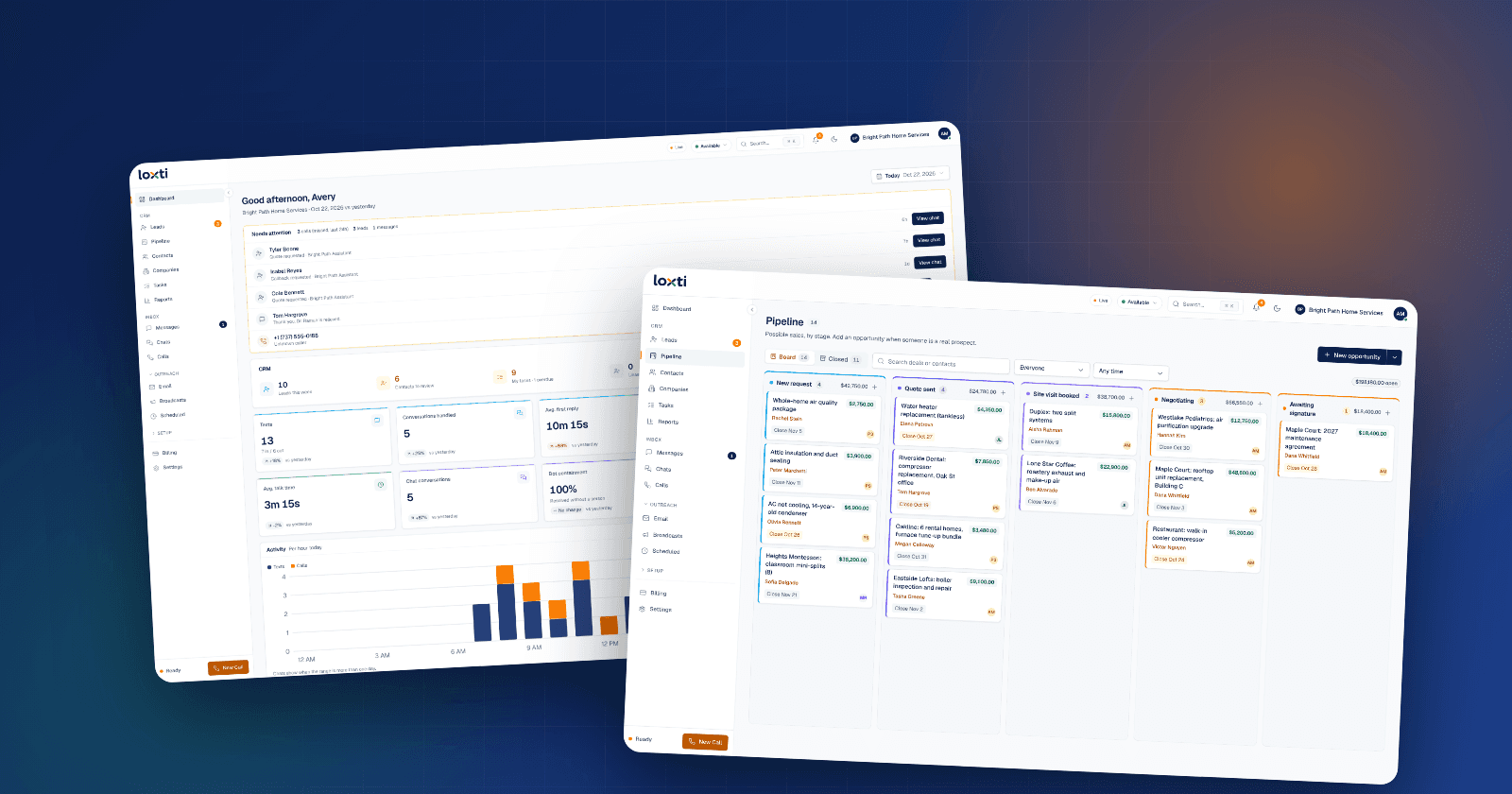
Loxti now has a CRM built into the workspace you already use for calls, texts and chats. A contact's history, tasks and deals sit next to the conversations that started them.
What is in it#
- Contacts and companies. Each contact has a timeline of texts, calls, emails, chats, deals, notes and tasks, and properties you edit in place. Companies list their people and open deals.
- Tasks. Follow-ups with a priority, an assignee and a reminder, grouped by urgency. A task can repeat, and completing one can record an outcome note.
- Sales pipeline. A board with stages you can color, a deal panel with details, notes and history, and Won and Lost tables with search.
- Leads. Visitors who reach a goal in your website chat arrive on a Leads page to review, assign and turn into deals. People who submit your own forms arrive as contacts waiting for review.
- Lead capture. A Lead capture API and the
@loxti/leadsSDK send form submissions to a source you configure in Loxti, with allowed websites, consent wording and rate limits. - Automation rules. Create a task, add to a group, assign a contact, set a status or alert the team when a call is missed, a lead arrives, a text comes in, a task is overdue or a deal moves. Rules never message customers.
- Duplicates, import and export. Duplicate detection with a merge you can undo for 30 days, and CSV import and export.
- Reports. Leads, deals and tasks over a date range you choose, with a weekly trend.
- Floating windows. Text and email open in windows you can drag and keep open while you browse.
The console works in English and Spanish.
Things to know#
- Owners and admins can turn the pipeline, automations and task reminders on or off for a workspace in Settings.
- The mobile app does not have CRM screens yet.
- Automations do not send texts or emails. That stays off until consent and quiet-hours checks are in place for it.
See the features page for the full list, or talk to us.
- announcement
- crm